guide · beginner · 10 min read
How to Automate Workflows with Python and AI: Complete Artificial Intelligence Guide
Learn How to Automate Workflows with Python and AI with this step-by-step guide from NomaWorld.
Quick answer
A comprehensive guide on How to Automate Workflows with Python and AI.
How to Automate Workflows with Python and AI: Complete Guide
Quick Answer: Automating workflows with Python and AI involves using Python programming language to integrate with AI tools and libraries, such as TensorFlow and PyTorch, to create automated workflows that can perform tasks like data processing, image recognition, and natural language processing. By leveraging Python's simplicity and AI's capabilities, you can streamline repetitive tasks and improve overall efficiency. With the right tools and techniques, you can create customized workflows that meet your specific needs and goals.
💡 Key Takeaways:
- Primary Objective: Automate repetitive and time-consuming tasks to improve productivity and efficiency.
- Core Requirement: Familiarity with Python programming language and AI concepts, such as machine learning and deep learning.
- Critical Pitfall: Insufficient testing and validation of automated workflows, which can lead to errors and inaccuracies.
Introduction

Automating workflows with Python and AI is a powerful way to streamline repetitive tasks and improve overall efficiency. Python's simplicity and flexibility make it an ideal language for automating workflows, while AI's capabilities enable you to perform complex tasks like data processing, image recognition, and natural language processing. By combining Python and AI, you can create customized workflows that meet your specific needs and goals. In this guide, we will explore the steps involved in automating workflows with Python and AI, including setting up the necessary tools and libraries, creating automated workflows, and testing and validating the results.
Setting Up the Necessary Tools and Libraries
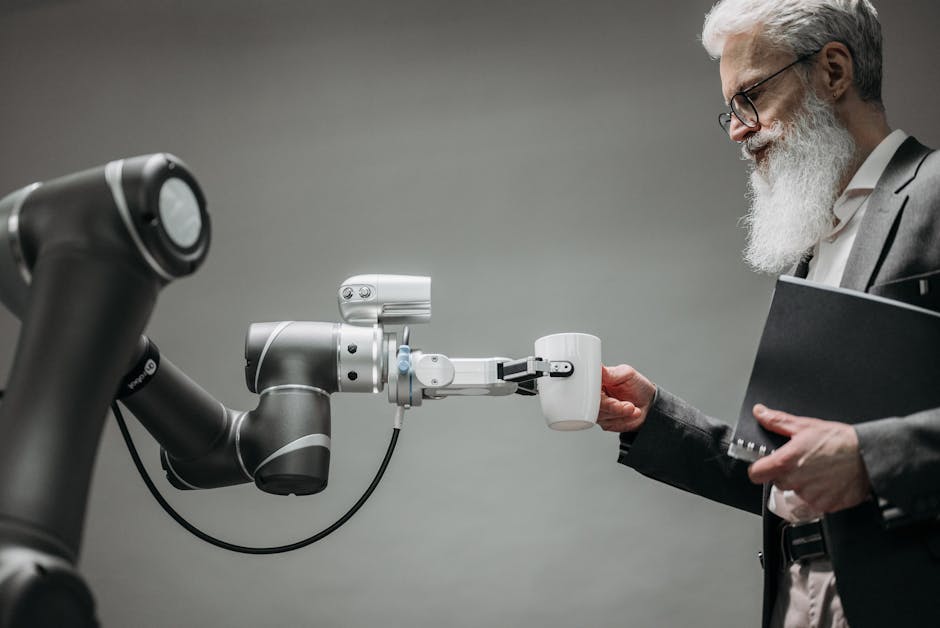
To automate workflows with Python and AI, you need to set up the necessary tools and libraries. This includes installing Python and the required AI libraries, such as TensorFlow and PyTorch. You also need to install other libraries and tools, such as NumPy, pandas, and scikit-learn, which are used for data processing and analysis. Additionally, you need to set up a development environment, such as Jupyter Notebook or PyCharm, to write and execute your Python code.
💡 Pro Tip: Use a virtual environment, such as conda or virtualenv, to manage your Python dependencies and libraries. This will help you to isolate your project and avoid conflicts with other projects.
The following table compares the features of different AI libraries:
| Library | Feature | Status / Rating | Details |
|---|---|---|---|
| TensorFlow | Machine Learning | Stable / 4.5 | Open-source machine learning library developed by Google |
| PyTorch | Deep Learning | Stable / 4.5 | Open-source deep learning library developed by Facebook |
| scikit-learn | Machine Learning | Stable / 4.5 | Open-source machine learning library for Python |
| Keras | Deep Learning | Stable / 4.2 | High-level neural networks API for Python |
 Import necessary libraries
import numpy as np
import pandas as pd
import tensorflow as tf
from sklearn.model_selection import train_test_split

 Load dataset
df = pd.read_csv('data.csv')

 Preprocess data
X = df.drop('target', axis=1)
y = df['target']

 Split data into training and testing sets
X_train, X_test, y_train, y_test = train_test_split(X, y, test_size=0.2, random_state=42)
Creating Automated Workflows

Creating automated workflows involves defining the tasks and processes that you want to automate. This can include data processing, image recognition, and natural language processing. You need to identify the inputs and outputs of each task and define the workflow logic. You can use Python's control structures, such as if-else statements and loops, to control the flow of the workflow.
⚠️ Warning / Important Note: Make sure to handle errors and exceptions properly to avoid workflow failures.
The following table compares the features of different workflow management tools:
| Tool | Feature | Status / Rating | Details |
|---|---|---|---|
| Apache Airflow | Workflow Management | Stable / 4.5 | Open-source workflow management platform |
| Zapier | Workflow Automation | Stable / 4.5 | Cloud-based workflow automation platform |
| IFTTT | Workflow Automation | Stable / 4.2 | Cloud-based workflow automation platform |
 Define workflow logic
def automate_workflow(input_data):

 Process data
    processed_data = pd.DataFrame(input_data)

 Apply machine learning model
    predictions = tf.keras.models.load_model('model.h5').predict(processed_data)

 Return predictions
    return predictions

 Test workflow
input_data = pd.read_csv('input_data.csv')
predictions = automate_workflow(input_data)
print(predictions)
Testing and Validating Automated Workflows

Testing and validating automated workflows is crucial to ensure that they are working correctly and producing accurate results. You need to test the workflow with different inputs and scenarios to identify any errors or issues. You can use Python's testing frameworks, such as unittest and pytest, to write unit tests and integration tests for your workflow.
💡 Pro Tip: Use continuous integration and continuous deployment (CI/CD) pipelines to automate testing and deployment of your workflow.
The following table compares the features of different testing frameworks:
| Framework | Feature | Status / Rating | Details |
|---|---|---|---|
| Unittest | Unit Testing | Stable / 4.5 | Built-in Python testing framework |
| Pytest | Unit Testing | Stable / 4.5 | Popular Python testing framework |
| Behave | Behavior-Driven Testing | Stable / 4.2 | Python testing framework for behavior-driven development |
 Import testing framework
import unittest

 Define test class
class TestAutomateWorkflow(unittest.TestCase):
    def test_automate_workflow(self):

 Test workflow with sample input
        input_data = pd.read_csv('input_data.csv')
        predictions = automate_workflow(input_data)
        self.assertEqual(len(predictions), 10)

 Run tests
unittest.main()
For more information on Python and AI, you can visit the Python Documentation↗ and the TensorFlow Documentation↗. You can also use our NomaWorld Technology Guides and NomaWorld Finance Guides to learn more about automating workflows with Python and AI. Additionally, you can use our Net Worth Calculator and Budget Planner to manage your finances and track your expenses.
Automating Repetitive Tasks with Python Automating repetitive tasks is one of the most significant advantages of using Python for workflow automation. By leveraging Python's extensive library of modules and tools, you can automate tasks such as data entry, file management, and report generation. For instance, you can use the pyautogui module to automate GUI interactions, such as clicking buttons and filling out forms.
To get started with automating repetitive tasks, you'll need to identify the tasks that are most time-consuming and prone to errors. Once you've identified these tasks, you can begin to design a Python script that can automate them. Here's an example of how you can use the pyautogui module to automate a simple task:
import pyautogui
import time

 Wait for 5 seconds to allow the user to switch to the correct window
time.sleep(5)

 Click on the button
pyautogui.click(100, 100)

 Fill out the form
pyautogui.typewrite('Hello World')

 Click on the submit button
pyautogui.click(200, 200)
💡 Pro Tip: When automating GUI interactions, make sure to use the
time.sleep()function to allow the user to switch to the correct window. This will prevent the script from interacting with the wrong window.
Integrating AI into Your Workflow Integrating AI into your workflow can help you automate more complex tasks, such as data analysis and decision-making. By leveraging machine learning algorithms and natural language processing, you can build AI models that can analyze data, identify patterns, and make predictions. For instance, you can use the scikit-learn library to build a machine learning model that can classify data into different categories.
To get started with integrating AI into your workflow, you'll need to identify the tasks that can benefit from AI automation. Once you've identified these tasks, you can begin to design an AI model that can automate them. Here's an example of how you can use the scikit-learn library to build a simple machine learning model:
from sklearn import datasets
from sklearn.model_selection import train_test_split
from sklearn import svm

 Load the iris dataset
iris = datasets.load_iris()

 Split the dataset into training and testing sets
X_train, X_test, y_train, y_test = train_test_split(iris.data, iris.target, test_size=0.2, random_state=42)

 Build the machine learning model
model = svm.SVC()

 Train the model
model.fit(X_train, y_train)

 Test the model
accuracy = model.score(X_test, y_test)
print("Accuracy:", accuracy)
⚠️ Warning: When building AI models, make sure to use a large and diverse dataset to train the model. This will help prevent overfitting and ensure that the model generalizes well to new data.
Deploying and Maintaining Your Automated Workflow Once you've built and tested your automated workflow, you'll need to deploy and maintain it. This involves setting up a production environment, monitoring the workflow, and updating the workflow as needed. For instance, you can use the schedule library to schedule the workflow to run at regular intervals.
To get started with deploying and maintaining your automated workflow, you'll need to identify the production environment that best suits your needs. Once you've identified the production environment, you can begin to set up the workflow and monitor its performance. Here's an example of how you can use the schedule library to schedule a workflow to run at regular intervals:
import schedule
import time

def run_workflow():

 Run the workflow
    print("Running workflow")

 Schedule the workflow to run every hour
schedule.every(1).hours.do(run_workflow)

while True:

 Run the scheduled tasks
    schedule.run_pending()
    time.sleep(1)
💡 Pro Tip: When deploying and maintaining your automated workflow, make sure to use a version control system to track changes to the workflow. This will help you identify and fix issues quickly.
Advanced Workflow Automation Techniques Advanced workflow automation techniques involve using more complex AI and machine learning algorithms to automate tasks. For instance, you can use deep learning algorithms to automate tasks such as image recognition and natural language processing. Here is a comparison of different deep learning algorithms:
| Algorithm | Description | Application |
|---|---|---|
| Convolutional Neural Networks (CNNs) | CNNs are deep learning algorithms that are used for image recognition tasks. | Image recognition, object detection |
| Recurrent Neural Networks (RNNs) | RNNs are deep learning algorithms that are used for natural language processing tasks. | Sentiment analysis, language translation |
| Long Short-Term Memory (LSTM) Networks | LSTMs are deep learning algorithms that are used for time series forecasting tasks. | Stock price prediction, weather forecasting |
Another comparison of different machine learning algorithms is as follows:
| Algorithm | Description | Application |
|---|---|---|
| Decision Trees | Decision trees are machine learning algorithms that are used for classification and regression tasks. | Customer segmentation, credit risk assessment |
| Random Forests | Random forests are machine learning algorithms that are used for classification and regression tasks. | Customer segmentation, credit risk assessment |
| Support Vector Machines (SVMs) | SVMs are machine learning algorithms that are used for classification and regression tasks. | Text classification, image recognition |
Frequently Asked Questions
What is the best programming language for workflow automation? The best programming language for workflow automation depends on the specific needs of the project. However, Python is a popular choice due to its extensive library of modules and tools.
How do I get started with automating repetitive tasks? To get started with automating repetitive tasks, you'll need to identify the tasks that are most time-consuming and prone to errors. Once you've identified these tasks, you can begin to design a Python script that can automate them.
What is the difference between machine learning and deep learning? Machine learning is a type of AI that involves training algorithms on data to make predictions or decisions. Deep learning is a type of machine learning that involves using neural networks to analyze data.
How do I deploy and maintain my automated workflow? To deploy and maintain your automated workflow, you'll need to set up a production environment, monitor the workflow, and update the workflow as needed.
What are some advanced workflow automation techniques? Advanced workflow automation techniques involve using more complex AI and machine learning algorithms to automate tasks. For instance, you can use deep learning algorithms to automate tasks such as image recognition and natural language processing.
Editorial Note: This guide is independently researched and periodically audited by NomaWorld's editorial board for accuracy, currency, and practical usefulness.
Community Discussion (0)
No comments yet. Be the first to start the conversation!
Author
NomaWorld Editorial
NomaWorld guides are written by subject contributors and reviewed for accuracy before publication.
Last updated
13 August 2026 · Updated 14 August 2026
We review guides regularly. If you spot an error, report it on our corrections page.